A Guide to Buying with Bots (October 2026)
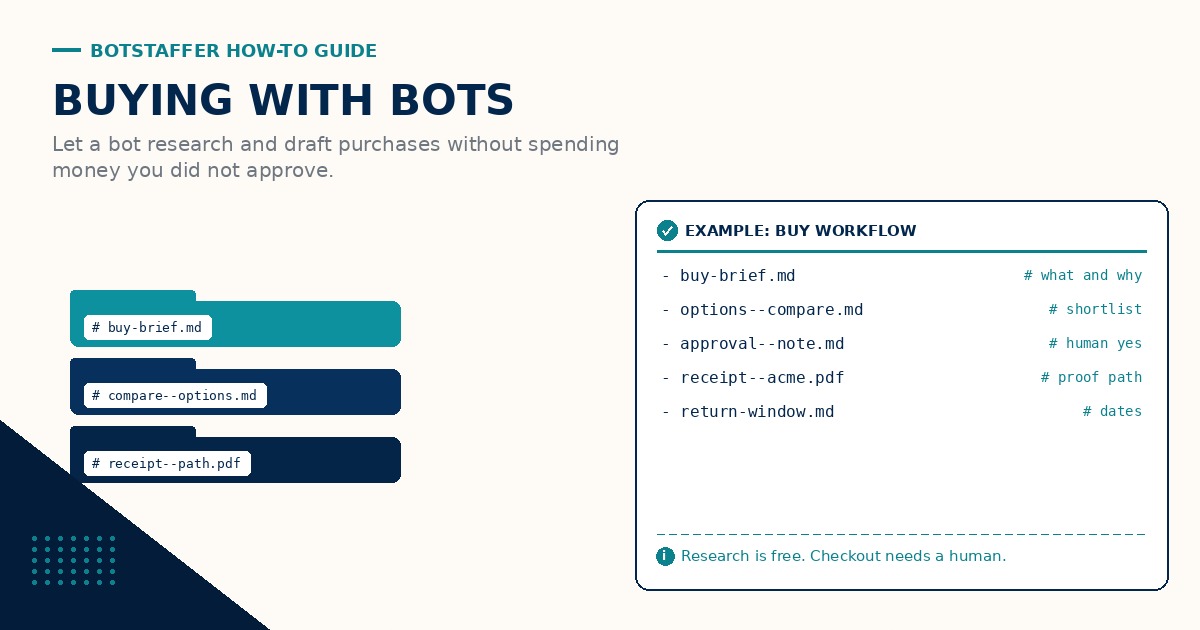
Bots are handy for shopping research. They are terrible at surprise charges. This guide keeps the bot in the research lane until you say yes. Research, brief, approve, then file the receipt path.
What the bot may do
Let the bot gather options, compare specs and prices, read return policies, and draft a short buy brief. Point it at your standing rules and at Tips for short checklists. Bots Research, You Approve is the split in one line: the bot compares, you spend.
What the bot may not do
Do not give the bot live card numbers, one-click buy buttons, or silent checkout rights. Approval stays with you. If a site needs a password or a card, you type it. The bot may open the tab and highlight the field. It does not submit pay.
A simple buy brief
Ask for purpose, must-haves, nice-to-haves, three options with prices, return window, and a one-line recommendation. Save the brief under a clear name. Write a Buy Brief Before Checkout is the tip. See the naming convention guide if names are getting messy.
Save the receipt path
After you buy, save the confirmation PDF or email into a known folder. Tell the bot that path so warranty and return questions do not turn into inbox archaeology. Save the Receipt Path is the habit. Same idea as checkpoints in the long-running tasks guide: leave a trail the next run can find.
When something looks off
If the price jumps, the seller is new, the return window is missing, or the bot cannot cite a source, stop. Re-run research the next day or buy manually. A second brief is cheaper than a bad charge.
A calm buying loop
Brief first. Approve in writing (even a short yes in the brief file). Pay yourself. File the receipt. Only then ask the bot to calendar a return deadline. Discuss edge cases through the Links discussion for this guide.
More short lessons live under Tips. Start from Guides if you are new here. Weekly scorecard notes can sit under News when a bake-off includes a buy brief.
For recurring buys, keep last month's brief and receipt path nearby so the bot compares against what you already own, not against a blank slate.
If finance needs a category or cost center, put that field in the brief template. The bot fills the draft. You still approve the spend.
Related Tips: Write a Buy Brief Before Checkout, Bots Research, You Approve, Save the Receipt Path. Join the discussion through the Links discussion for this guide.