
A Guide to Working With Your Bot (October 2026)
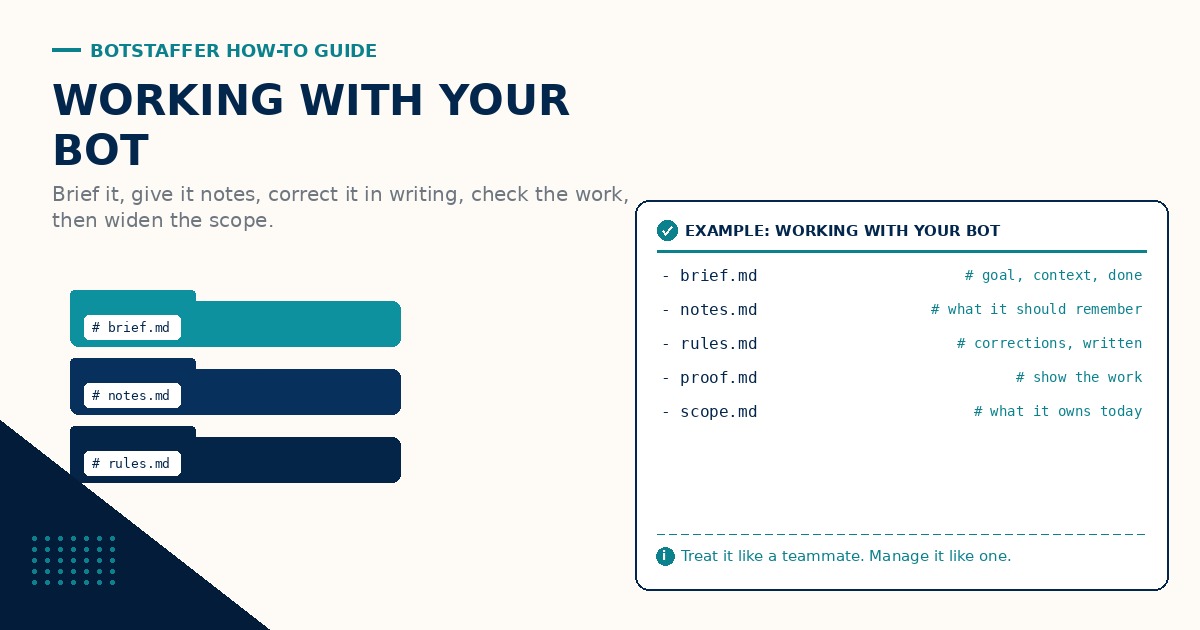
Most people treat a new bot like a search box. Type a sentence, get an answer, move on. That works for trivia. It does not work for real work. This Bot Staffer (BS) guide is about working with your bot the way you would work with a new teammate: brief it well, give it a place to keep notes, correct it in writing, let it run, check the work, and widen its scope as it earns trust.
Think teammate, not search box
A bot on staff is closer to a capable new hire than to a tool. It is fast, it does not get tired, and it will happily do the wrong thing for an hour if you point it the wrong way. The fix is not a cleverer prompt. The fix is the same management basics you already use with people: a clear ask, written context, a definition of done, and a regular look at the results.
If you are still deciding what to hand off at all, Extend Your Staff with Bots is the place to start. If you run more than one bot, A Guide to Setting Up Team Bots covers roles. This guide is about the day to day.
Brief it: goal, context, done
Every real ask gets three parts. The goal is what you want and why. The context is what the bot needs to know that it cannot guess (the client, the file, the deadline, what was tried last time). Done is how you will both know the task is finished, and what you want handed back.
A weak brief: "Clean up the newsletter list." A useful brief: "Goal: remove bounced and unsubscribed addresses from the newsletter list so the next send is clean. Context: the list lives in the shared sheet, bounces are in last week's send report, do not touch the VIP tab. Done: a cleaned tab, a count of what was removed, and a short note on anything you were not sure about."
The second version takes thirty seconds longer to write and saves the back and forth. Brief Your Bot With Goal, Context, and Done is the one page version to keep handy. One more line worth adding to most briefs: if something is unclear, ask before guessing.
Give it a place to keep notes
A bot that forgets everything between sessions makes you repeat yourself forever. Give it a home for durable notes: a folder of Markdown files, a built in memory feature, or a page in your shared docs. Preferences, standing rules, who is who, and how you like things done all belong there.
Keep those notes boring and findable. The naming convention guide is the best place to start if file names are already a mess. Then make it a habit: when you tell the bot something that should still be true next month, ask it to write that down. If the work touches customers, keep the customer facts in the system of record, not the bot's notes. A CRM Still Matters for Bots explains why.
Correct it in writing
When the bot gets something wrong, say what was wrong, say what right looks like, and ask it to record the rule. "Don't do that" fixes today. "Never use that sign off in client email, use the one in your style notes, and add this to the notes" fixes every day after.
Correct the same day. A mistake that slides for a week turns into the new normal. Turn Every Correction Into a Written Rule covers the habit in more detail. Once a week, skim the rules the bot has collected and delete any that no longer apply.
Let it run long tasks
Once a brief is solid, step back. Bots are good at long, steady work: working through a backlog, cleaning up records, drafting a batch of pages, matching a statement against a ledger. Hovering over every step wastes the main thing a bot gives you, which is your time and attention back.
For bigger jobs, ask for a short plan first, then let it go. Ask for check ins at natural milestones (after the first ten records, after the first draft) rather than after every action. A Guide to Long-Running Tasks with Bots goes deeper on keeping work that takes hours on track.
Check the work, then ask for proof
"Done" is a claim, not a result. Ask the bot to show its work: the link to the live page, the count before and after, the check that passed, the screenshot. If it cannot show it, it is not done yet. Ask for Proof, Not Just Done is the short version of this habit.
Spot check on a schedule. Early on, check most of what it does. As the results hold up, check less often and pick at random. A Guide to Getting Your Bot to Do Better QA has the checklist approach for bigger or riskier work.
Know when to step in
Delegate the work. Keep the decisions that are hard to undo. A simple line: the bot can draft, research, organize, and fix things that are easy to reverse on its own. It stops and asks before anything that spends money, sends a message under your name, deletes data, or changes something customers see.
Write that line into the bot's notes so it does not have to guess. Step in when the bot is stuck in a loop, when it is confidently wrong twice on the same thing, or when the task has drifted from the original goal. Otherwise, let it work.
Turn repeat work into routines
The biggest wins come from repeat work: a morning inbox sweep, a weekly report, a Friday cleanup of the task list. Once a task works well twice by hand, turn it into a routine with a fixed time, the same brief, and the same definition of done. Then review the routine once a week instead of reviewing every run.
Build trust over time
Trust is earned in small steps, the same as with a new hire. Start with tasks where a mistake is cheap. Widen scope one area at a time as the work holds up. If something goes wrong, shrink the scope, fix the brief or the notes, and try again.
A simple first month. Week 1: small asks with full briefs and close checks. Week 2: one longer task with a plan and milestone check ins. Week 3: the first routine. Week 4: a short review of what went wrong, which corrections became rules, and what scope to widen next.
Where to go next
Keep the three short lessons from BotStaffer Tips next to your bot. If you are adding more bots, read A Guide to Getting Your Team Bots to Work next. Browse all BotStaffer Guides for the rest of the series, and share what is working for you in the community discussion for this guide.